Zeus vs Hades App – iOS & Android Download Guide
Zeus vs Hades – Gods of War does not have a standalone app that can be downloaded independently. The game is developed and runs exclusively through online casino platforms. There are three ways to play Zeus vs Hades on mobile: through a casino's Android APK app, through a casino's iOS app from the App Store, or directly in your mobile browser without any download. This guide explains all three options in detail.

Why There is No Standalone Zeus vs Hades App
Pragmatic Play, like all major slot developers, does not distribute games directly to end users. Their games are licensed to casino operators who integrate them into their platforms. This means Zeus vs Hades is always accessed through a casino, not through a separate game download. Any app claiming to be a standalone "Zeus vs Hades" download is not an official Pragmatic Play product.
The practical result: to play Zeus vs Hades on mobile, you need to use a casino that carries Pragmatic Play games. All casinos on our recommended list carry Zeus vs Hades and are accessible on mobile.
Android – Download Casino APK
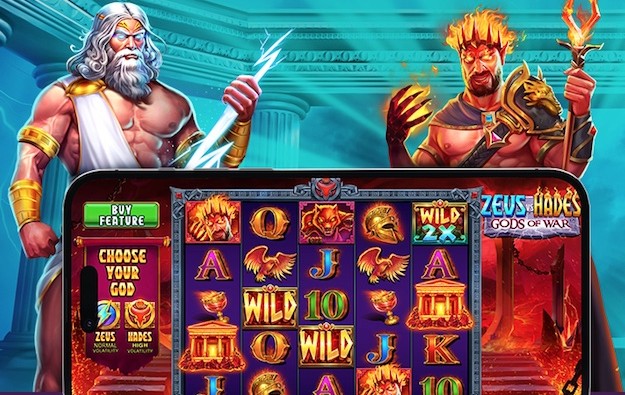
Most casinos on our list offer dedicated Android apps that can be downloaded directly from the casino website as an APK file. Google Play Store does not list real-money gambling apps in most regions, so Android users download casino apps directly.
Step-by-step Android installation:
- Open your Android phone's Settings app.
- Go to Security (or Privacy on newer Android versions).
- Enable "Install from unknown sources" or "Install unknown apps." On Android 8+, you enable this per-app: you will be prompted when you try to install the APK.
- Open your mobile browser and visit the casino website (e.g., Hellspin, Granawin).
- Look for the "Download App" or "Android App" link – usually in the footer or main menu.
- Tap the download link. The APK file downloads to your phone.
- Open the downloaded APK file and tap Install. Android will verify the file before installing.
- Open the casino app, log in to your account, and find Zeus vs Hades in the game library.
Android system requirements: Android 6.0 or higher. At least 100MB free storage for the app. Stable internet connection (Wi-Fi or 4G/5G). The game itself streams from the server and does not require additional storage.
iOS – App Store or Safari Browser
iPhone and iPad users have two options: App Store casino apps or playing directly in Safari. Unlike Android, iOS does not allow APK-style installations from outside the App Store. All iOS apps must come from the App Store.
App Store method:
- Open the App Store on your iPhone or iPad.
- Search for the casino name (e.g., "Hellspin Casino" or "Spinando").
- Download and install the casino's official app.
- Open the app, log in to your existing account or register a new one.
- Search for Zeus vs Hades in the game library and tap to launch.
Note: Not all casinos have App Store listings in every region. Apple has restrictions on gambling apps in certain countries. If the casino app is not available in your App Store region, use the Safari browser method instead.
iOS system requirements: iOS 13 or higher. Any iPhone from iPhone 6s onwards handles Zeus vs Hades without issues. The game loads in Safari without any download or plugin.
Play in Mobile Browser – No Download Required

The simplest option: open any casino on our list in your mobile browser and play Zeus vs Hades directly. No download, no installation, no plugin required. Zeus vs Hades is built on HTML5, which runs natively in all modern mobile browsers.
Browser method (Android and iOS):
- Open your mobile browser (Chrome on Android, Safari on iOS, or any modern browser).
- Visit a casino from our recommended list.
- Log in to your account (or register if new).
- Search for "Zeus vs Hades" or "Pragmatic Play" in the game library.
- Tap the game thumbnail to launch. The game loads in your browser within seconds.
- Choose Olympus or Hades mode, set your stake and start playing.
The mobile browser experience is technically identical to the casino app experience. Same game, same RTP, same features. The only difference is that apps may offer push notifications for bonuses and promotions.
Casino App vs Browser – Comparison
Feature | Casino App | Mobile Browser |
Installation required | Yes | No |
Game quality | Identical | Identical |
All features available | Yes | Yes |
Push notifications | Yes | No |
Faster login | Often yes (saved login) | Depends on saved passwords |
Storage used | 50–200MB for app | None |
Works without App Store | Android: yes. iOS: no | Yes (all platforms) |
App-exclusive bonuses | Sometimes available | No |
For most players, the mobile browser is the recommended starting point. It requires no installation, works on any platform, and delivers the identical game experience. Download the casino app only if you want push notifications or if the casino offers app-exclusive bonuses.
Best Mobile Casinos for Zeus vs Hades
All casinos on our list support mobile play. Here are the options with their mobile availability:
Casino | Android App | iOS App | Mobile Browser | Bonus |
Yes (APK) | Browser | Yes | 100% + 100 FS | |
Yes (APK) | App Store | Yes | 20 FS + €1,750 | |
Yes (APK) | Browser | Yes | 150% + 170 FS | |
Yes (APK) | Browser | Yes | 825% + 650 FS | |
Yes (APK) | App Store | Yes | 500% + 500 FS |
FAQs
Is there a Zeus vs Hades standalone app?
No. Zeus vs Hades is developed and is only available through licensed online casino platforms. There is no standalone downloadable game. Any app claiming to be an independent "Zeus vs Hades" download is not an official product.
Does Zeus vs Hades work on iPhone?
Yes. Open any casino from our recommended list in Safari on your iPhone and the game runs without any download. Zeus vs Hades is HTML5-based and works on all iPhones running iOS 13 or later, which covers iPhone 6s and all newer models.
Do I need to download anything to play on Android?
No. You can play Zeus vs Hades directly in Chrome or any Android browser without downloading anything. If you prefer an app experience, most casinos offer an Android APK available directly from their website (since gambling apps are not on Google Play in most regions).
Is the mobile version the same as desktop?
Yes. Zeus vs Hades uses HTML5 technology, which means the game is identical across desktop and mobile. Both Olympus and Hades modes, all Wild mechanics, free spins, and Bonus Buy are fully available on mobile.
Which casino has the best mobile app for Zeus vs Hades?
Hellspin and 1win have well-reviewed mobile apps. Spinando has an iOS App Store presence which makes installation straightforward on iPhone. If you prefer not to install anything, any casino on our list works excellently in a mobile browser.